Docs › Examples › CAD from STEP: a sleeve under tension
Solid mechanics, CAD · 3D
CAD from STEP: a sleeve under tension
A geometry read from a STEP file, meshed and solved for linear elasticity — the full path from file to checked result.
To run the example. OneSimulation 1.0 · CPython 3.13 on macOS (Apple Silicon), Ubuntu 22.04 (x86-64), and Windows x64. Follow the Quickstart to install and activate the runtime. Compare plans.
Focus – Structures & Mechanics covers this workflow for commercial use. Seven-day trial, then €39 per month before any applicable tax.
Start the Focus trial on Gumroad Trial and cancellation details
What it computes
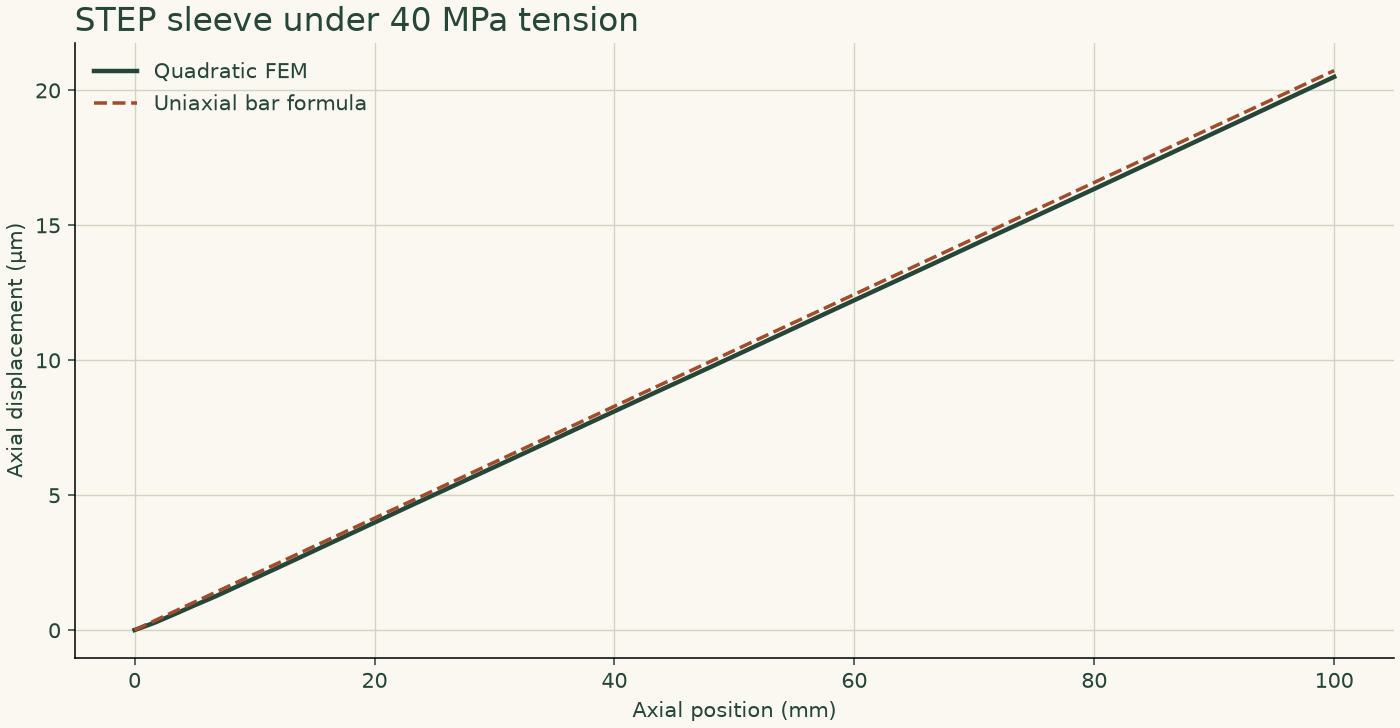
The example reads a solid from a STEP file, surveys its faces with the CAD kernel before any boundary is named, then names faces, meshes with a tetrahedral mesher and solves linear elasticity with Q2 elements. If the file’s face count differs from the declared one, the run stops rather than silently placing boundary conditions on the wrong faces. The elongation is checked against the uniaxial bar formula u_z(L) = σL/E at σ = 40 MPa.
What it checks
Uniaxial bar formula and named-face mesh coverage.
Use your own STEP file
Set STEP_FILE to your file, inspect the printed face table, and update the face count, face groups, material and loads. Replace the sleeve-specific reference checks with checks for your model.